Product tour
See StaffRotas in action
A walk through the manager dashboard and the staff app, from building the week to exporting payroll.
01 · Weekly rota
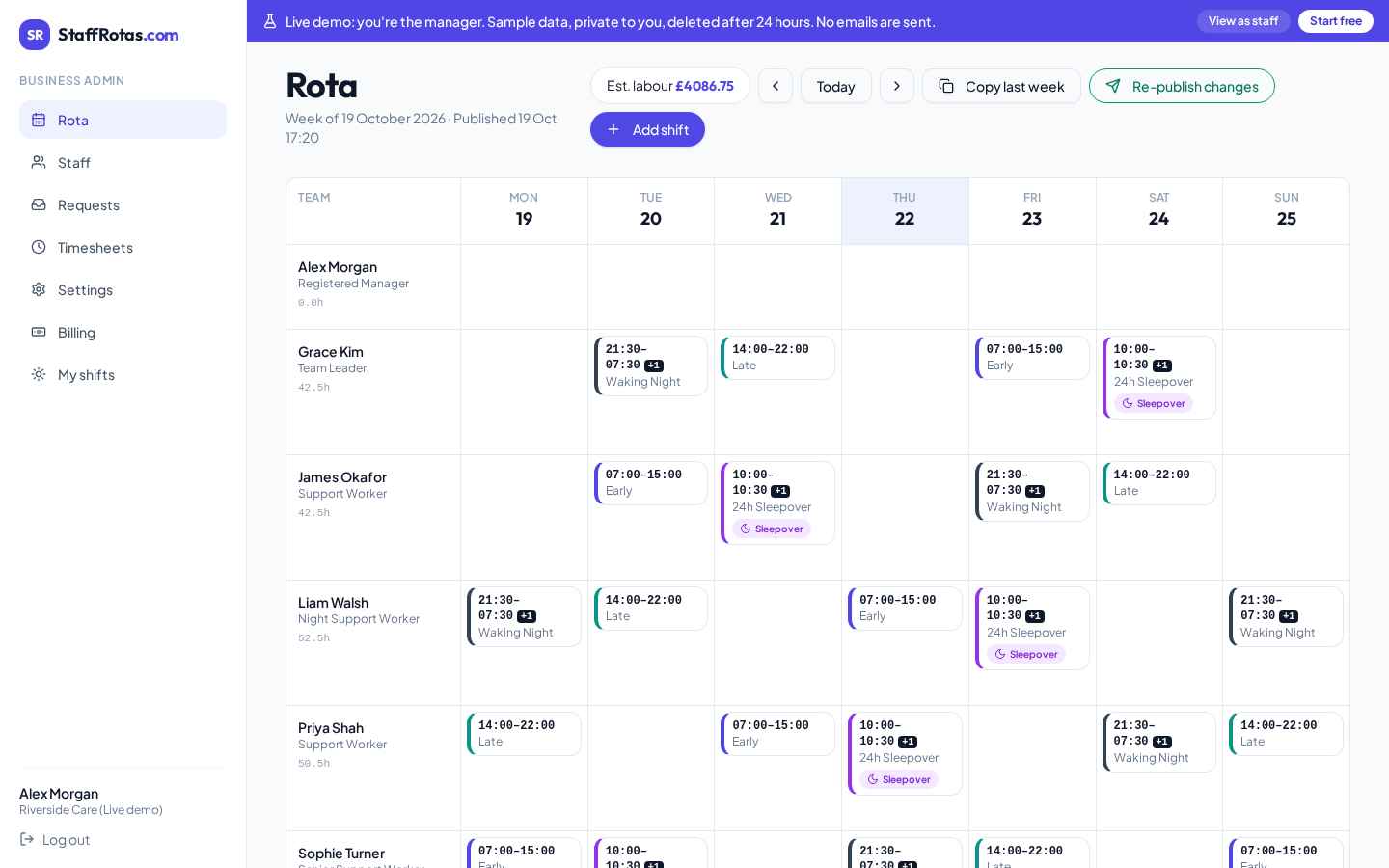
Build the whole week in minutes
See every team member and every day at a glance. Click a cell to add a shift, copy last week in one tap, and watch the labour cost update as you go.
- Open shifts row for unfilled gaps
- Estimated labour cost per week
- Publish & email staff their shifts
02 · Overnight & sleepovers
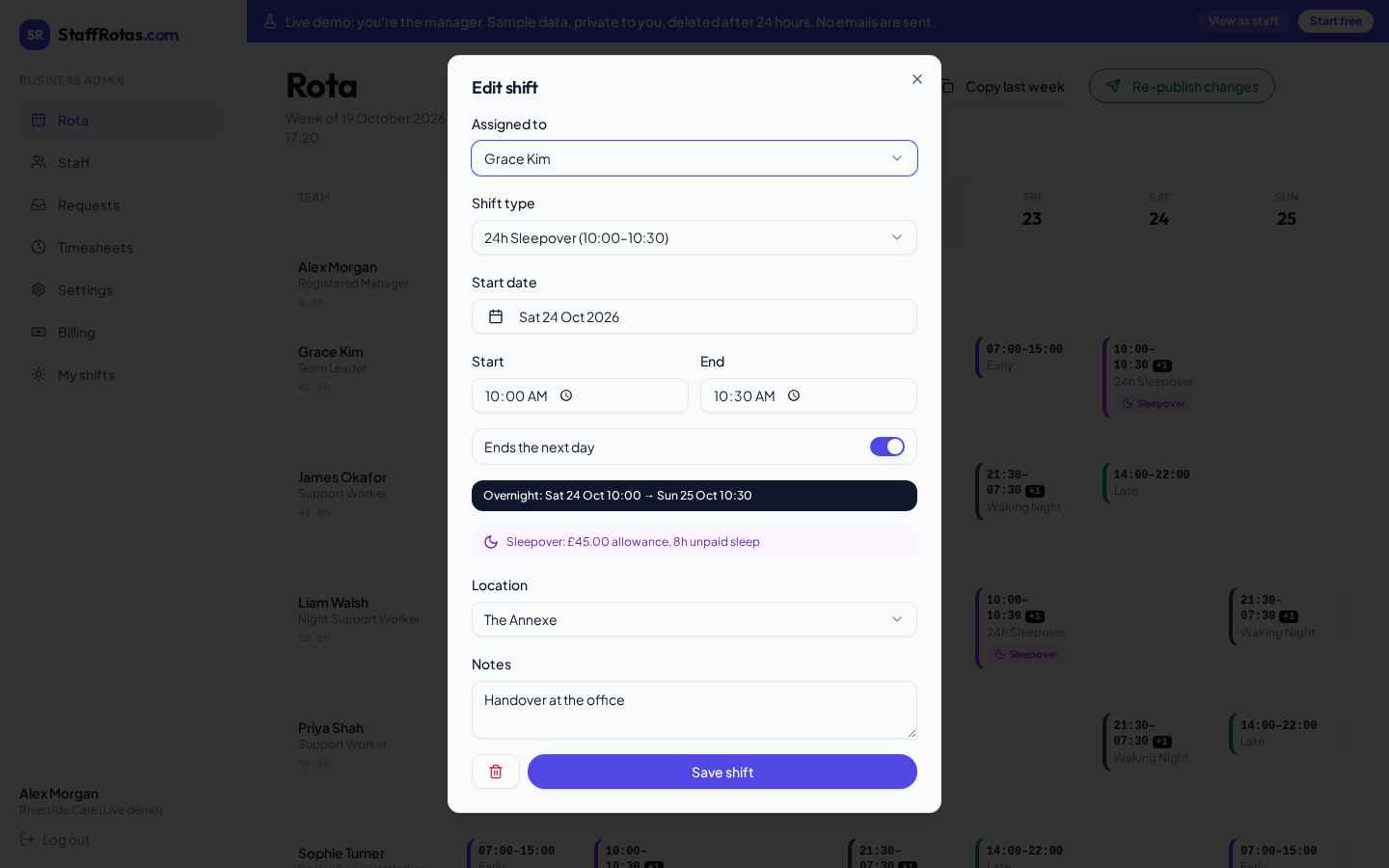
Shifts that run past midnight
10:00 Monday to 10:30 Tuesday? Set any shift to finish the next day. Sleepover shift types carry a flat allowance and unpaid sleep hours, so pay is worked out for you.
- +1 marker for next-day finishes
- Sleepover allowance in £
- Unpaid sleep hours removed from pay
03 · Staff app
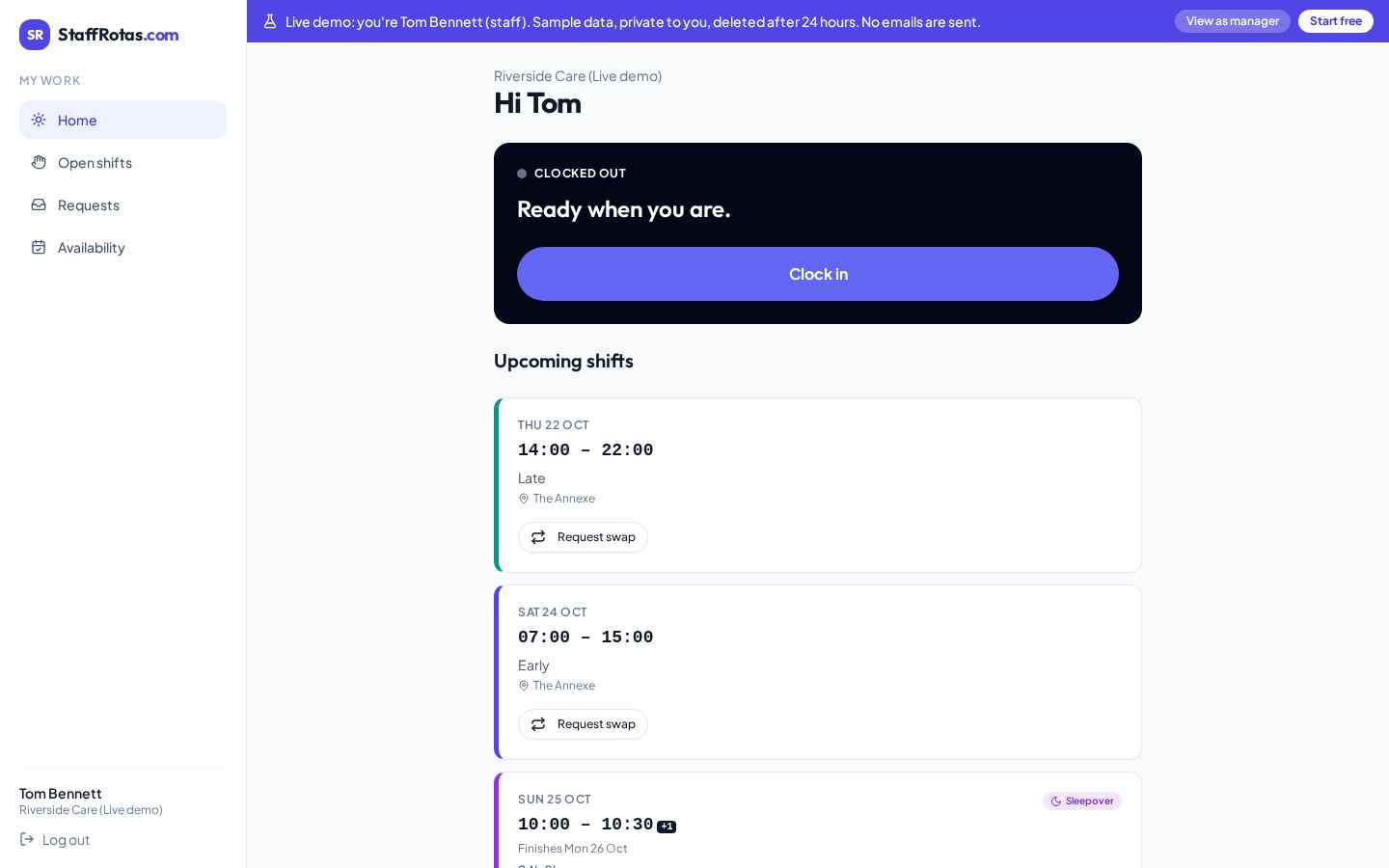
Everything staff need on their phone
Staff clock in and out, see upcoming shifts, confirm changes with one tap and ask a colleague to swap. No app to install.
- Clock in / out with live timer
- "Got it" on changed or extra shifts
- Swap requests and open-shift claims
04 · Requests
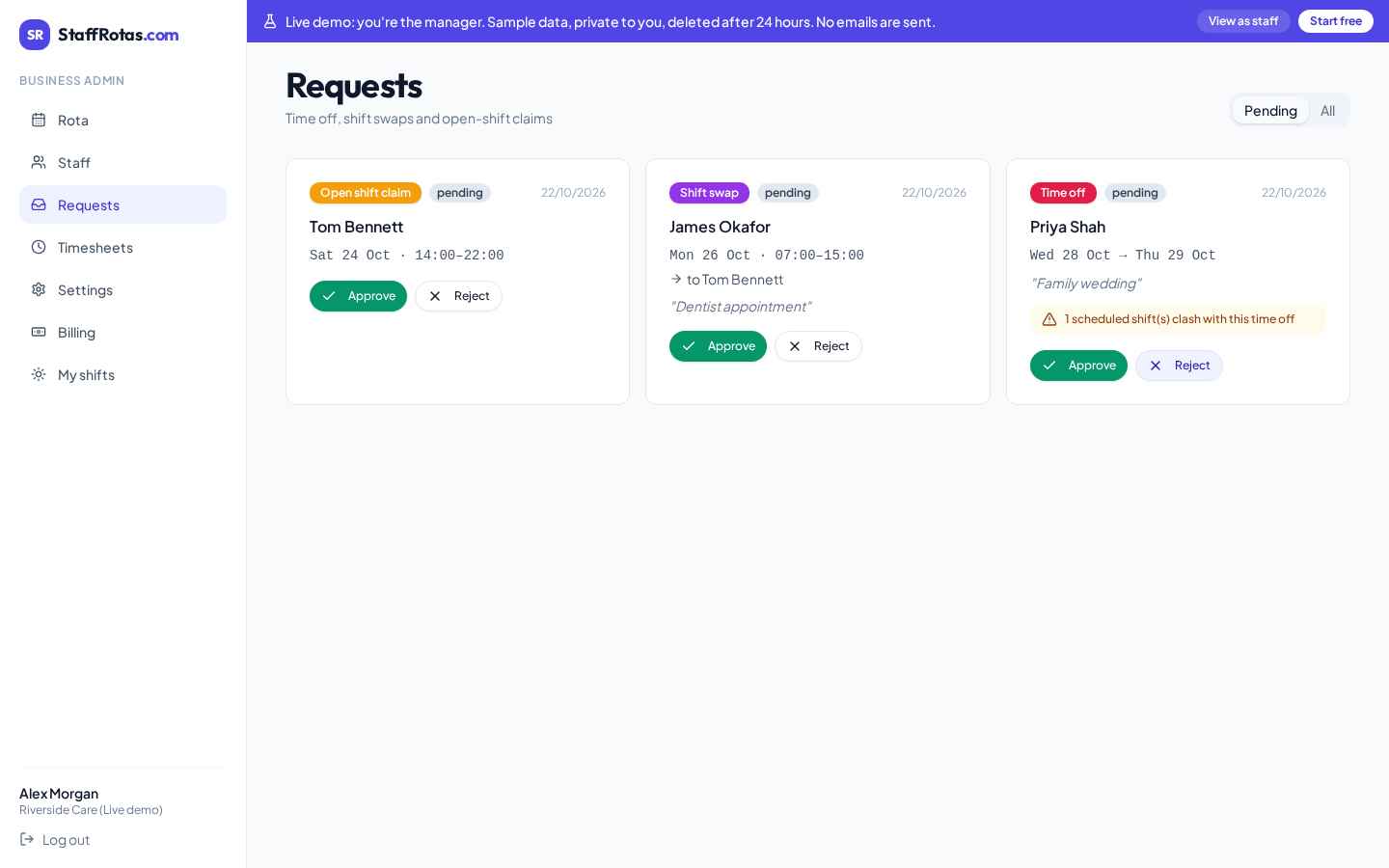
Approve swaps and holidays in one click
Time-off requests warn you about clashing shifts. Approving a swap or claim updates the rota and emails everyone involved.
- Clash warnings on holiday requests
- Automatic rota updates
- Email notifications to staff
05 · Timesheets & payroll
From clock-in to payroll CSV
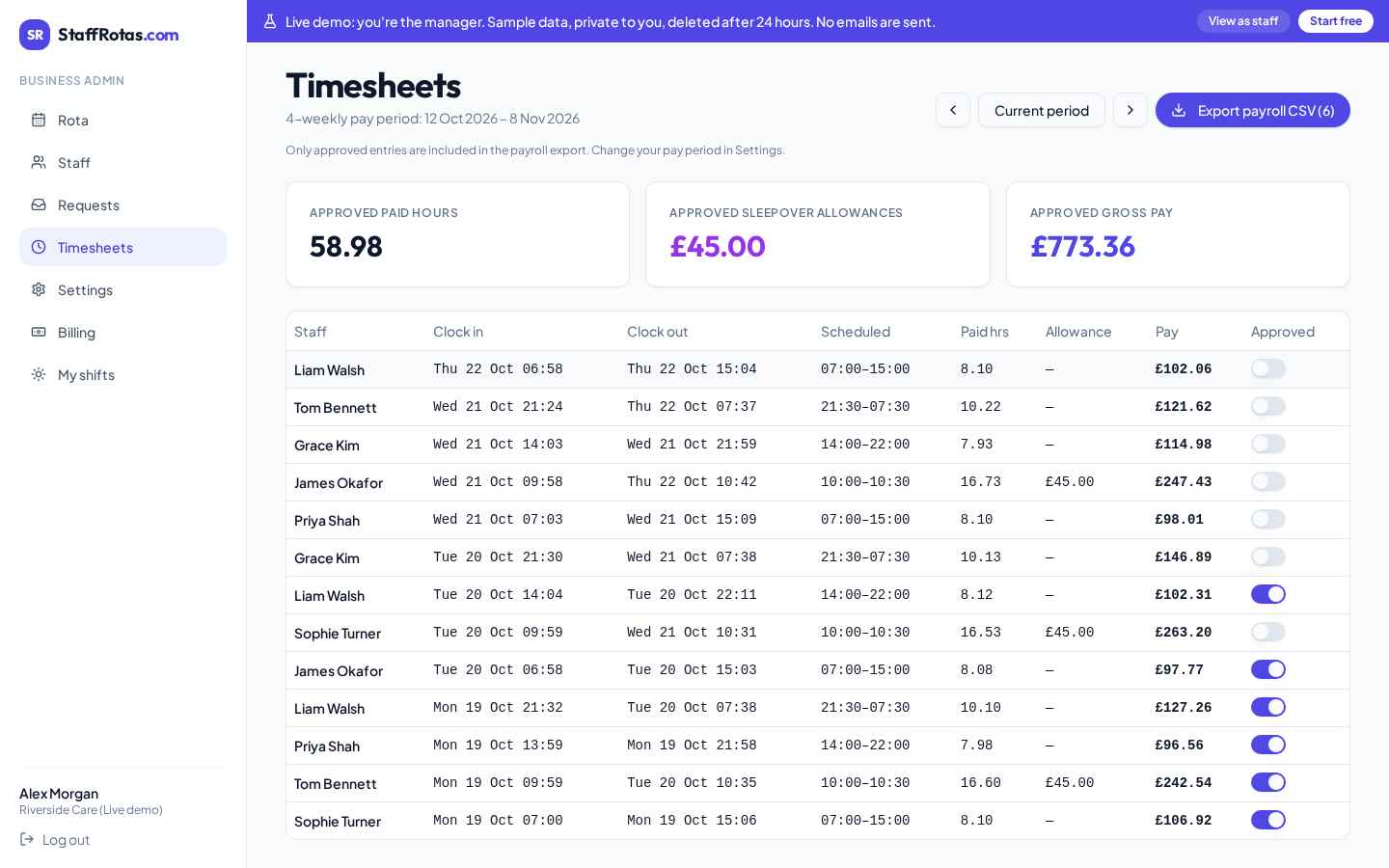
Timesheets follow your pay period and compare actual hours to the rota. Approve entries and export a payroll-ready CSV with sleepover allowances included.
- Weekly, 4-weekly, monthly or custom periods
- Payroll CSV emailed when a period closes
- Hours summary emailed to each staff member
06 · Settings
Set it up the way your business works
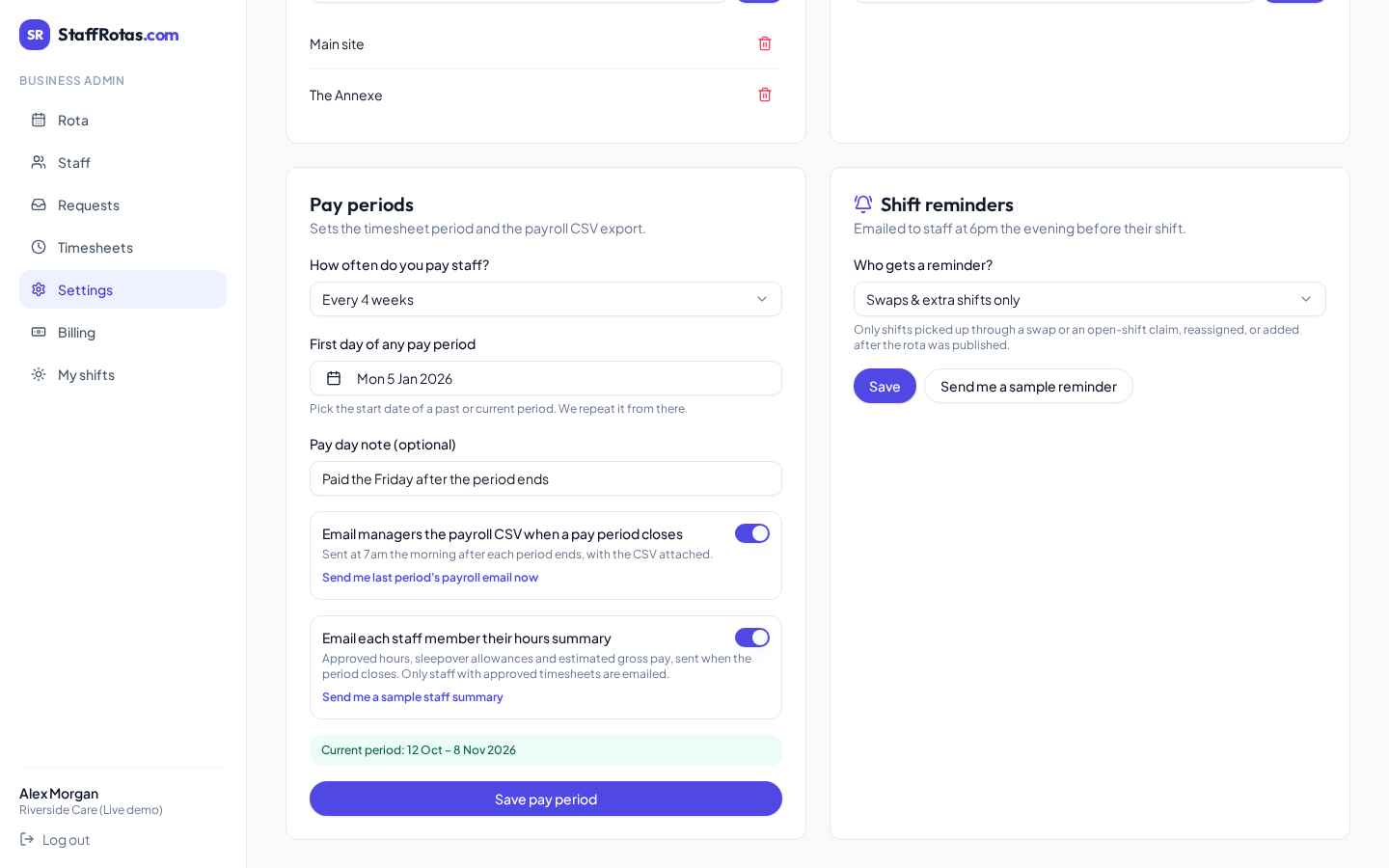
Shift types, locations, pay periods and reminder emails are all in your hands. Reminders can go out for every shift, only overnight shifts, or only swaps and extra shifts.
- Custom shift types and colours
- Pay periods to match payroll
- Evening-before shift reminders
Ready to try it with your team?
Explore the live demo with sample data, or start free with up to 5 staff.